
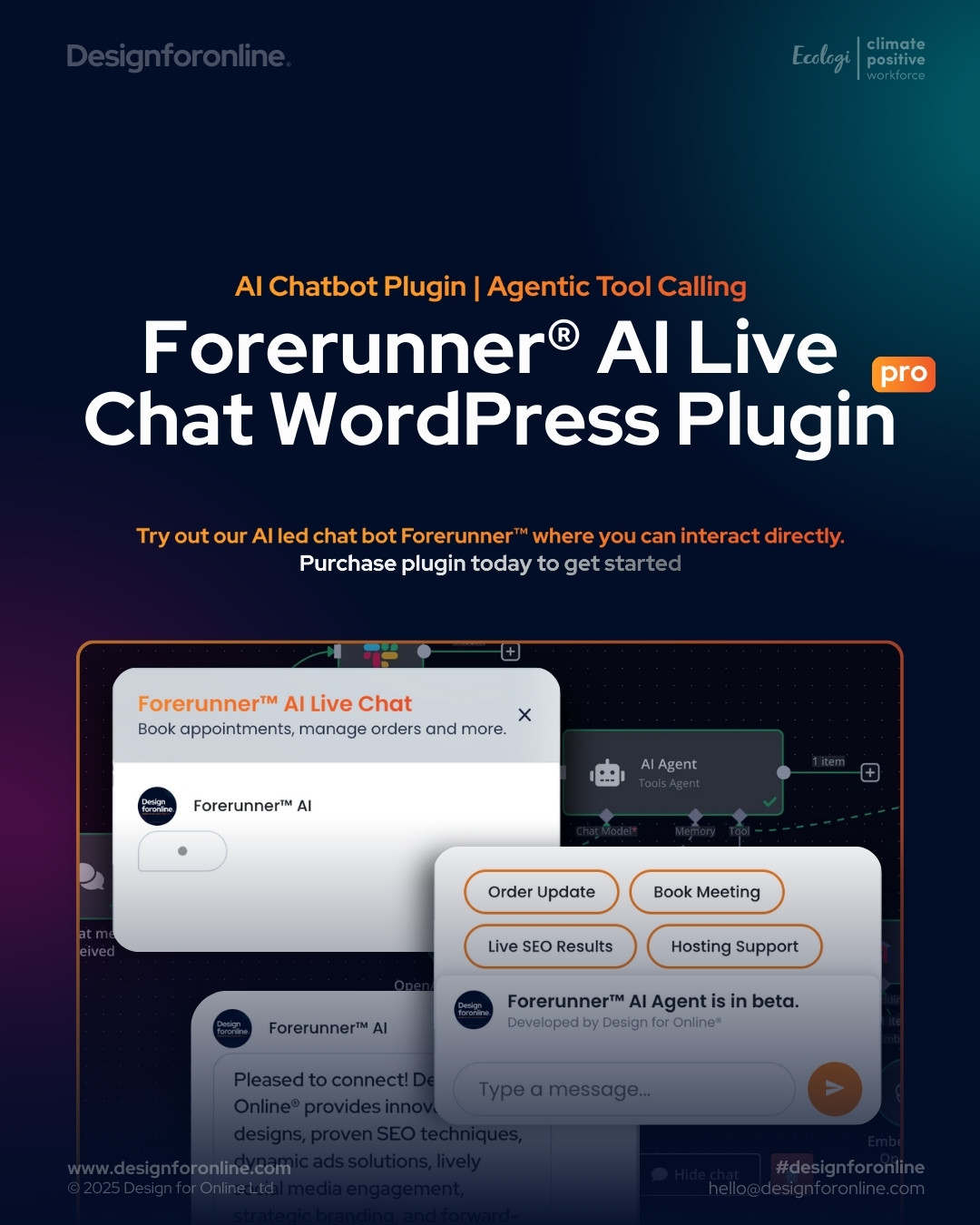

Forerunner® AI Live Chat Pro is for businesses that want an AI assistant on their website that does real work — answers from your own data, books appointments, checks orders, hands a conversation to a person — without handing control of the AI to a chat vendor. You bring the AI agent or workflow; Pro gives you a secure, configurable bridge between your WordPress site and that agent, plus the front-end polish and back-office visibility a production deployment needs.
Pro is an add-on to the free Forerunner AI Live Chat plugin. The free plugin handles the chat widget and webhook connection; Pro unlocks the enterprise integration, security and analytics layer on top of it. Both are actively maintained and released together.
Who it is for
- Businesses connecting the chat to an existing AI agent or automation — n8n, Make, Zapier, Azure Functions, AWS Lambda, Google Cloud Functions or a custom API.
- Teams whose backend needs proper authentication: OAuth 2.0 / Microsoft Entra ID, APIM subscription keys, correlation IDs or multiple custom headers.
- Membership, intranet and WooCommerce sites that want the AI to know who it is talking to and staff to see which customer is chatting.
- Anyone who wants the chat inside a page — a support page, a product page, a portal — rather than only as a floating bubble.
What Pro adds
Secure integration
- Server-side webhook proxy — the browser talks to your WordPress site; WordPress talks to your AI backend. API keys and tokens never reach the visitor’s browser.
- Enterprise authentication — OAuth 2.0 client-credentials flow including Microsoft Entra ID (Azure AD), API keys, bearer tokens and any number of custom headers with merge tags.
- Request and response mapping — decide exactly what your backend receives (message, conversation ID, page URL, message history, metadata) and which field in its reply the chat displays.
- WordPress user context — optionally send the logged-in user’s ID, login, email, display name and roles as trusted headers, so your agent can personalise answers or restrict them by role.
- Server-enforced rate limiting, retries and logging — limits are applied on the server before a request reaches your backend, so a script hitting the endpoint directly cannot run up your AI bill. Automatic retry for transient failures and a request log for debugging and audit.
Front-end experience
- Embedded chat on any page — the
[forerunner_chat]shortcode places a full chat panel inline, light or dark theme, any width and height, sharing the same settings and AI as the floating widget. - Quick-action buttons — configurable prompts such as “Book a meeting” or “Order update” that visitors tap instead of typing.
- Brand styling — advanced colour controls with live preview, colour presets and custom or premium bot icons.
- Waiting indicator — while your agent is working, show a built-in animation or your own GIF alongside rotating status lines (“Checking your order…”, “Searching the knowledge base…”), with timing, order and placement all configurable.
Insight and operations
- Conversation inbox — a two-pane, live-updating view of every AI conversation on the site, so you can see what customers ask and how the agent replies.
- Active visitors — who is on the site right now, the page they are on, approximate location and device, and for logged-in users their name and role. With WooCommerce active, a customer badge shows order count and lifetime spend with a link to their orders.
- CSV export — conversations and visitor analytics for reporting.
- Chat visibility by audience — combine with the free plugin’s visibility rules to show the chat only to certain roles, pages or devices, with Pro forwarding visitor identity so the decision can be per user.
How it works
- Install the free Forerunner AI Live Chat plugin, then Pro, and enter your licence key.
- Point the webhook at your AI agent or workflow and choose how requests are authenticated and mapped.
- Style the widget, add quick actions, and drop
[forerunner_chat]on any page that should have the chat inline. - Watch conversations and visitors in the WordPress admin as they happen.
Free vs Pro
| Free | Pro | |
|---|---|---|
| Floating chat widget connected to any AI via webhook | Yes | Yes |
| Markdown replies, typing reveal, waiting indicator, fixed or AI welcome message | Yes | Yes |
| Colours and bot icon | Yes | Live preview, presets, premium icons |
| Webhook proxy and authentication | Single API-key header | OAuth 2.0 / Entra ID, multiple headers, merge tags |
| Request and response mapping, WordPress user context | — | Yes |
| Configurable rate limiting, retries, request logging | — | Yes |
Embedded chat on any page ([forerunner_chat]) |
— | Yes |
| Quick-action buttons | — | Yes |
| Conversation inbox and CSV export | — | Yes |
| Active visitors with logged-in user and WooCommerce customer identity | — | Yes |
| Support | Community | Priority email support |
Built for real traffic
Forerunner runs on member sites where every visitor is logged in and on public sites with tens of thousands of monthly visits. The 2026 releases focused on what that takes: one lightweight request per message instead of several, a server-side message store, cached visibility checks, tracking tokens that survive page caching, and an optional Lean Endpoints mode that cuts the server cost of each heartbeat and message save by roughly ten times on plugin-heavy sites. Replies are HTML-escaped before Markdown rendering so a compromised backend cannot run script in a visitor’s browser, and every rate limit is enforced server-side.
Bring your own AI
The plugin provides the chat, the routing and the security; the behaviour of the assistant is defined by whatever you connect it to. That can be an automation platform such as n8n, Make or Zapier; a cloud-hosted agent or orchestration service (Azure-hosted agents behind a function, for example); or your own API. Any model works — OpenAI, Google Gemini, Anthropic Claude, Grok, open-weight models or a custom agent — and you can change it later without touching the website.
To get started we include a starter n8n workflow you can import into your own n8n instance, point the plugin at, and adapt. n8n is optional — it is a starting point, not a requirement.
Escalation to a person is handled the same way: the chat tells your workflow when a visitor asks for a human, and your workflow decides what happens next — an email, a Teams or Slack alert, a ticket, or a live handover in a system you already use.
Custom workflow development
If you would rather we built the agent, we offer custom workflow development: designing, integrating and maintaining the automation or AI logic against your systems and compliance requirements. The plugin also works as a straightforward live chat with human support, so you can introduce AI gradually. Contact us to discuss your requirements.
Optional add-on: Forerunner AI Voice Agent
Real-time, natural voice conversations with your assistant, built on WebRTC for low latency and connected to OpenAI’s realtime voice models for speech-to-text and text-to-speech. Choose the voice, tone and speaking style to match your brand. The core is modular, with MCP (Model Context Protocol) support, so further voice providers can be added over time. Ideal where accessibility or a hands-free experience matters.
Requirements and licensing
- WordPress 5.0 or later, PHP 7.4 or later. Tested with the current WordPress release.
- The free Forerunner AI Live Chat plugin installed and active.
- A webhook endpoint that processes messages (your AI agent, automation or API).
- Licence covers one website for one year, including all updates delivered automatically through the WordPress dashboard and priority support. If the licence lapses, Pro features pause and the free chat keeps working.